How to Choose an Affordable Domain and Hosting in Singapore

We understand launching a website can be intimidating—especially if you have to ensure quality as well as affordability. That’s why we don’t just sell cheap web design; we provide our clients with the guidance they require in order to choose the right domain and hosting for the best price. Being in business for over a decade as a digital service provider, we bring Singapore companies online affordably. In this article, we will walk you through how to choose affordable domain hosting services in Singapore with performance, security, and long-term stability.
Choosing affordable domain for your website

Why Your Domain and Hosting Choices Matter

Your host is the person that keeps your website up and running, and your domain name is your online identity. They both constitute your online presence. A poor hosting choice can have your website slow, bed down most of the time, or even have security issues. With a good domain and host selection, your website is fast, trustworthy, and up 24/7 for users.

At iClick Media, we collaborate with clients to make good, budget-conscious decisions without sacrificing performance. Our staff takes care of everything—from registering the domain to setting up web hosting, so you can keep your eye on the ball and run your business.

1. Determine Your Budget (But Consider the Long-Term)

Affordable doesn’t always mean cheap. While it’s important to keep costs down, it’s even more critical to choose a solution that offers good value over time. Most providers entice firms with low initial pricing, only to request high renewal fees subsequently.

We steer clear of these sly traps for our Singaporean customers by offering transparent pricing on web and domain hosting services. Our goal is to provide you with the best value we can—no nasty surprises.

2. Look for Local Hosting Providers

A business owner satisfied with her local web hosting provider

Choosing a host located in Singapore offers many advantages—faster download times for domestic visitors, better customer service, and improved search engine rankings for geographically specific searches. Local hosts are also more familiar with the needs of Singaporean companies than global hosts are.

That’s why iClick Media partners with established local hosting companies to ensure our customers have quick response support and performance tailored to local demands.

3. Evaluate Performance and Reliability

When selecting a domain hosting plan, speed and uptime are of greatest concern. Look for hosting firms that offer:

  • 99.9% uptime assurances
  • Improved website load speeds using SSD storage
  • Data protection and automatic backups

We conduct performance tests on all of our featured hosting services here at iClick Media. We will only utilize hosting platforms that are acceptable to our standards of speed, stability, and security.

4. Pick the Right Domain Name

Your domain name must be:

  • Short and memorable
  • Relevant to your company or brand
  • Easy to spell and type
  • Preferably a .com or .com.sg extension

With our full web solutions, we help customers generate domain names that are branding-friendly yet easy to sell and search-engine friendly. We can also help with the registration and renewal so that you will not miss any important deadline.

5. Be Familiar with the Types of Hosting and Choose Accordingly

A man and a woman celebrating launching their new website after choosing the right hosting package

There are quite a few types of hosting out there:

  • Shared Hosting – Cheap and suitable for small websites
  • VPS Hosting – Offers more power and flexibility
  • Cloud Hosting – Scalable and reliable for growing businesses
  • Dedicated Hosting – Suitable for high-traffic websites that need complete control

For cheap web design and hosting, shared or cloud hosting is typically the best starting point. We ascertain your current and future requirements and then recommend a hosting type, so you don’t pay for what you don’t need.

6. Look for Included Services

Some domain and hosting packages include free add-ons like SSL certificates, email addresses, or web site builders. While these are helpful, do be sure to review whether they’re actually worthwhile for your needs.

At iClick Media, our affordable web development packages include items to have you up and running with confidence—like SSL, mobile-friendliness, and basic SEO configuration, bundled into your chosen hosting package.

7. Assess Customer Support Options

Outstanding technical support keeps you from hours of frustration, especially when posting your site or maintaining it. We ensure that our hosting partners offer 24/7 support, live chat, or ticketing systems for immediate problem-solving. Our own iClick Media team is also just a phone call away if you need hands-on assistance.

Why Partner with iClick Media?

We do more than create websites—we give you end-to-end digital solutions that get results. Whether you’re launching a new site or getting an upgrade on one that’s been around, we walk you through registering your domain, picking your host, and professional design on budget.

What we offer:

  • Budget-friendly domain registration and hosting
  • Responsive and custom web design
  • Integration of SEO and digital marketing
  • Maintenance and security backup

We’ve helped hundreds of Singapore businesses set the proper online groundwork—and now we’re here to help you too.

Final Thoughts

Getting the proper Singapore domain hosting needn’t be expensive or difficult. The proper partner will allow you to achieve low-cost high-performance hosting together with a professional website. iClick Media combines affordable web design with strategic consulting and hands-on support so that you can readily set up and build your web presence.

Ready to build your site the smart way? Call iClick Media today to begin with a tailored domain, hosting, and website design package.
8 Step of Web Design Process

At iClick Media, we simplify the process of creating a website and make it transparent and results-driven. As a trusted cheap web design service in Singapore, we aim to make it easy for small and medium businesses to have a professional website without breaking the bank. With more than ten years of experience in providing customized digital solutions, our team knows what it takes to bring your ideas to life in a fully functional and stunning website. In this article, we guide you through the entire web design process, from the initial consultation to your official launch—so you know what to expect from working with us.

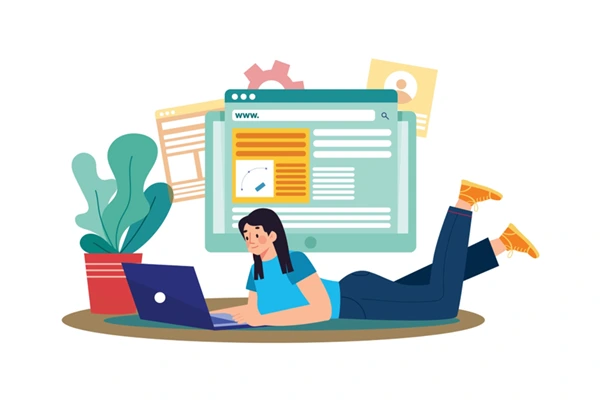
Illustration of a woman with a laptop designing a website representing the initial web design phase

1. Initial Consultation

Every successful website starts with a conversation. During our initial consultation, we hear about your business requirements, target market, and taste in design. If you’re a new startup, or an established company looking to reboot your web presence, we’ll hear you out on your needs. This is where we determine what type of cheap web design services will best suit your budget and business objectives. You’ll also have a clear idea of timelines, deliverables, and what we’ll need from you in order to get started.

2. Project Planning and Proposal

Once we know you well, we craft a detailed project proposal. This includes the number of web pages, the features like contact forms, booking applications, or e-commerce capabilities, and site structured description. We also provide an open quote that is our assurance of affordable web design Singapore without compromising on quality. Our proposals are to the point, no surprises, no jargon, just real value.

3. Mockup Designs

Next, our design team begins crafting mockups of your brand style, content goals, and user requirements. This is a collaborative stage where we present you with screenshots of your homepage and most key inner pages. You can see it, tell us to modify it, and leave comments. We don’t fiddle around with user interface (UI) and user experience (UX), so your site not just looks amazing but is also easy to navigate and engage with.

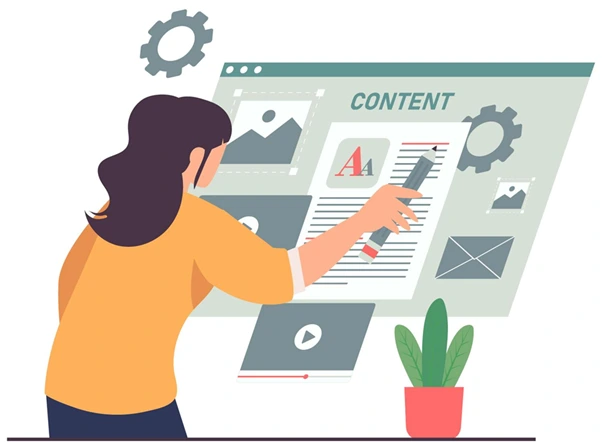
Illustration of a designer adding text and images to a website layout, representing the content integration phase of web design

4. Content Integration

We assist in getting content you have or help write it for you if needed, with content experts ensuring text is SEO-optimized and communicates what you intend. If you go for our entire range of affordable web design services, content writing, image sourcing, and even simple SEO settings are part of it. This phase brings your design to life and ensures your website speaks directly to your audience.

5. Development and Testing

Once designs and content are done, our developers then step in to write the site’s code. We use a modern, responsive framework to ensure that your site looks amazing and functions perfectly well on desktop, tablet, and phone. We also carry out rigorous testing on a range of browsers to catch and fix any bugs. This attention to detail ensures a seamless experience for every visitor.

6. Client Review and Revisions

We provide you with a staging version of your site prior to launching. You are able to virtually test your new site. You are able to go through all content, design, buttons, and functionalities to check whether they are at your satisfaction level. If changes are needed, we are ready to make them effectively and efficiently.

7. Final Launch

As soon as you give the green light, we’re on it with getting your site up and running. That means hosting is installed, your domain is linked, and everything technical SEO-wise is covered. The result? A live, gorgeous site performing amazingly well and ready to roll to collect your visitors.

Illustration of a businessman on a rocket launching over graphs, symbolizing a successful website launch and business growth

8. Post-Launch Support

At iClick Media, the client relationship does not end once your site is launched. We deliver post-launch upkeep, tracking, and content updates to ensure your site remains current and competitive. This is especially handy for businesses opting for cheap web design services, as ongoing support is often left out by other providers. With us, you’re always in good hands.

Ready to Get Started?

Creating a website should not be difficult or expensive. At iClick Media, we believe in creating functional, good-looking, and affordable websites with our tried and tested web development process. From the first consultation to the opening of your website and even beyond, we’re here for you along the way.

If you’re looking for cheap web design Singapore services that don’t compromise on quality, reach out to us today. Let’s create something great together.

5 Essential Features for a Small Business Website

Having a business website is no longer optional for small businesses in today’s world. But investing a lot of money in an effective website isn’t necessary either. With optimal features and clever design, it is possible to develop a cheap web design that grabs attention, maintains visitor interest, and converts visitors into loyal customers. Here are five essential features for a small business website along with easy ways to incorporate them at a minimal cost.

Budget-friendly web design for small businesses

1. A Simple and Easy-to-Reach Contact Page

Your contact page bridges your company with potential clients. It must be straightforward and contain all the necessary information, including:

  • Phone number
  • Email address
  • Physical address (if required)
  • Operating times
  • Contact form

How to Set It Up:

  • Keep it simple: Ensure your contact information is simple to read and view.
  • Take advantage of a free plugin: WPForms or Contact Form 7 can assist you in designing accessible contact forms within your budget.
  • Add a map: If you have a physical presence, add a Google Map so clients can locate you.

2. An Engaging “About Us” Section

The “About Us” page happens to be where you share your story and connect with your audience. This gives you the chance to highlight your mission, values, and what makes your business special.

How to Make It Work:

  • Tell your story: Share why you started your business and what drives you. Authenticity builds trust.
  • Add photos: Use professional pictures of your team, office, or products to make the page more personal.
  • Include testimonials: Positive feedback from happy customers adds credibility and makes your business relatable.

3. Social Media Integration

Social media helps small businesses connect with customers and grow their online presence. Adding social media links and feeds to your website makes it easy for visitors to follow and engage with you.

How to Integrate It:

  • Add icons: Place clickable icons for Facebook, Instagram, LinkedIn, or Twitter in your site’s header, footer, or sidebar.
  • Embed live feeds: Use free plugins to display your latest posts directly on your website.
  • Encourage sharing: Include share buttons on blog posts or product pages to increase visibility.

4. Mobile-Friendly Design

A web designer showing off a mobile friendly design mock-up

Most people browse the web on their phones, so your website must look great on smaller screens. A mobile-friendly design improves user experience and helps your site rank higher on search engines.

How to Do It:

  • Choose a responsive theme: Use platforms like WordPress, Wix, or Squarespace, which offer affordable responsive templates.
  • Test your site: Use tools like Google’s Mobile-Friendly Test to check how your site looks on different devices.
  • Optimize images: Compress your images to speed up loading times without reducing quality.

5. Clear Call-to-Action (CTA) Buttons

CTA buttons guide visitors to take actions like contacting you, signing up for a newsletter, or making a purchase. Clear CTAs can make a big difference in boosting conversions.

How to Add Them:

  • Use direct language: Write clear text like “Contact Us,” “Sign Up Now,” or “Learn More.”
  • Make them stand out: Use colors that contrast with your site’s background so the buttons are easy to spot.
  • Place them strategically: Position CTAs where they’ll get noticed, such as at the top of the page or after important sections.

Bonus Tips for a Budget-Friendly Website

Building a website doesn’t have to be expensive

  • Utilize free tools: Websites such as Canva can be used to create graphics, and Unsplash and Pexels provide free high-resolution photos.
  • Make it simple: Concentrate on offering easy-to-understand, pertinent information rather than overwhelming guests with too much information.
  • Update frequently: New content makes your site rank higher and keeps users returning.

Making Your Budget Website Work for You

Building an affordable site by a cheap web designer for your small business is more manageable than you imagine. Adding a straightforward contact page, engaging “About Us” content, social media support, mobile optimization, and powerful CTAs will construct a site that will engage and maintain customers without going over budget.

Your site usually is the very first impression of your company individuals will have. You can make that impression a good one and an enduring one if you focus on these basics. A good and cheap web design will portray your professionalism as well as foster trust and confidence with your prospects. So invest your time to build them in this space and grow it to become an ideal supporting base for the realization of business objectives.

Remember, it does not have to cost a fortune for the website to be great, it just needs to meet your customer’s needs and provide them with a seamless experience.

How Much Does It Cost To Design A Website In 2023?

Creating a website can vary in cost depending on your choices. If you opt for a website builder, it can be free or up to $40 per month. Content Management Systems (CMS) like WordPress are free, but you’ll need to budget about $10 to $20 per year for a domain and a few dollars monthly for hosting. Templates can range from free to up to $100. For those interested in e-commerce, platforms start at around $29 per month.

Hiring website designer professionals can range from a few hundred to thousands of dollars. Web hosting starts at a few dollars a month, and a domain usually costs $10 to $20 per year. Additionally, you might incur extra expenses for items such as plugins, design, photos, and ongoing maintenance. When planning your budget, consider both initial and ongoing costs, especially if you’re looking for cheap web design in Singapore or quality website design services.

How much does it cost to design a website in 2023?

What is the Typical Cost of Website Development?

  • DIY with Website Builders or CMS
    Low Cost: If you use website builders like Wix, Weebly, or free plans on platforms like WordPress or Blogger, you can get started for little to no cost.
  • Basic Business Website
    Low to Mid-Range: A simple business website with a domain, shared hosting, and minimal customization can cost as little as $300 to $1,000 per year.
  • Custom Business Website
    Mid-Range to High-End: For a more professional, custom-designed website with advanced features, expect to pay between $1,000 to $10,000 or more.
  • E-commerce Website
    Mid-Range to High-End: Creating an online store with e-commerce functionality can range from $5,000 to $15,000 or more, depending on the size and complexity of the store.
  • Complex Websites
    High-End: Large, complex websites with unique features, such as social networks or marketplaces, can cost tens of thousands to hundreds of thousands of dollars.
  • Ongoing Costs
    Hosting: Costs can range from a few dollars per month for shared hosting to hundreds of dollars per month for dedicated hosting or cloud services.

Domain: Typically costs $30 to $150 per year.
Maintenance: Costs can vary based on the complexity of your website but may include updates, security, and content management.

Take note that these are general estimates, and the actual cost of building a website can vary significantly depending on your specific needs and goals. Additionally, ongoing costs like hosting and domain renewal should be considered in your budget. If you’re not sure where to start, it’s a good idea to consult with web developers or agencies for a more accurate quote based on your requirements.

Typical Cost of Website Development

Diving Deeper into the Three Primary Website Builder Types

3 Primary Website Builder

Description

Drag-and-Drop Website Builders Drag-and-drop website builders are user-friendly platforms, making them accessible even to those without coding skills. They are a practical choice for web designers aiming to provide affordable web design solutions for clients. With these builders, web development becomes streamlined, and creating WordPress web designs is simplified, ensuring cost-effective and efficient projects.
Content Management Systems (CMS) Content Management Systems like WordPress, offer extensive flexibility and customization options, attracting web designers seeking a platform for affordable web design projects. They empower web development by providing control over content and layout. These systems are particularly beneficial for those specialising in WordPress web design and development.
E-commerce Platforms E-commerce platforms such as Shopify, WooCommerce (a WordPress plugin), and BigCommerce are tailored for businesses. Web designers and developers find them invaluable for crafting affordable web design solutions focused on e-commerce. These platforms streamline web development for online stores, making WordPress web design an accessible choice for entrepreneurs.

Diving Deeper into the Three Primary Website Builder Types

Utilising a Website Builder is most ideal for:

  • Beginners
    Website builders are designed to be user-friendly, making them perfect for individuals with little to no technical or coding experience. They provide intuitive drag-and-drop interfaces and pre-designed templates that simplify the website-building process.
  • Small Businesses
    Small businesses and startups often have limited budgets. Website builders offer an affordable solution to establish an online presence, showcase products or services, and attract customers without the high costs associated with custom web development.
  • Individuals and Bloggers
    Those looking to create personal blogs, online portfolios, or personal websites can benefit from the simplicity and cost-effectiveness of website builders. They allow individuals to share their content or showcase their work without significant financial investments.
  • Quick Launch
    Website builders enable rapid website development. This is advantageous for businesses or individuals who need to get a website up and running quickly to capitalise on opportunities or share information promptly.

Utilising a Website Builder

Creating a website using a website builder is the most budget-friendly approach and is particularly well-suited to create:

  • Personal Blogs and Diaries
  • Small Business Websites
  • Portfolios and Creative Projects
  • Informational Websites
  • Hobby or Interest-Based Sites

Is Investing in Website Builders a Wise Choice?

Investing in website builders can be a smart choice for many individuals and small businesses. They offer a cost-effective and user-friendly way to establish an online presence without the need for extensive technical skills or a large budget.

Website builders provide pre-designed templates and intuitive tools, making it easy to create a professional-looking website. While they may have some limitations in terms of customization compared to custom web development, their affordability and convenience make them a valuable option for those looking to get online quickly and efficiently. Ultimately, the decision depends on your specific needs and goals, but website builders can be a wise and practical choice for many.

iClick Media team

Above picture shows the iClick Media team at our client’s place after the successful launch of the Nanyang Business School website.

In conclusion, building a website’s cost depends on your choices. You can use affordable website builders or content management systems like WordPress for free or at low monthly costs. Templates can be free or cost a bit. E-commerce platforms start at around $29 per month. If you want something more customised, it can range from a few hundred to thousands of dollars.

For those seeking cheap web design in Singapore or quality website design, affordable custom websites are a good option. Remember to consider ongoing costs like hosting and domain fees. By evaluating your needs and budget, you can choose the right option for your website project.