
Having a business website is no longer optional for small businesses in today’s world. But investing a lot of money in an effective website isn’t necessary either. With optimal features and clever design, it is possible to develop a cheap web design that grabs attention, maintains visitor interest, and converts visitors into loyal customers. Here are five essential features for a small business website along with easy ways to incorporate them at a minimal cost.

1. A Simple and Easy-to-Reach Contact Page
Your contact page bridges your company with potential clients. It must be straightforward and contain all the necessary information, including:
- Phone number
- Email address
- Physical address (if required)
- Operating times
- Contact form
How to Set It Up:
- Keep it simple: Ensure your contact information is simple to read and view.
- Take advantage of a free plugin: WPForms or Contact Form 7 can assist you in designing accessible contact forms within your budget.
- Add a map: If you have a physical presence, add a Google Map so clients can locate you.
2. An Engaging “About Us” Section
The “About Us” page happens to be where you share your story and connect with your audience. This gives you the chance to highlight your mission, values, and what makes your business special.
How to Make It Work:
- Tell your story: Share why you started your business and what drives you. Authenticity builds trust.
- Add photos: Use professional pictures of your team, office, or products to make the page more personal.
- Include testimonials: Positive feedback from happy customers adds credibility and makes your business relatable.
3. Social Media Integration
Social media helps small businesses connect with customers and grow their online presence. Adding social media links and feeds to your website makes it easy for visitors to follow and engage with you.
How to Integrate It:
- Add icons: Place clickable icons for Facebook, Instagram, LinkedIn, or Twitter in your site’s header, footer, or sidebar.
- Embed live feeds: Use free plugins to display your latest posts directly on your website.
- Encourage sharing: Include share buttons on blog posts or product pages to increase visibility.
4. Mobile-Friendly Design
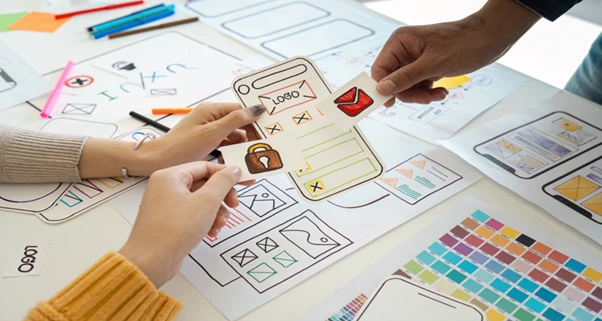
Most people browse the web on their phones, so your website must look great on smaller screens. A mobile-friendly design improves user experience and helps your site rank higher on search engines.
How to Do It:
- Choose a responsive theme: Use platforms like WordPress, Wix, or Squarespace, which offer affordable responsive templates.
- Test your site: Use tools like Google’s Mobile-Friendly Test to check how your site looks on different devices.
- Optimize images: Compress your images to speed up loading times without reducing quality.
5. Clear Call-to-Action (CTA) Buttons
CTA buttons guide visitors to take actions like contacting you, signing up for a newsletter, or making a purchase. Clear CTAs can make a big difference in boosting conversions.
How to Add Them:
- Use direct language: Write clear text like “Contact Us,” “Sign Up Now,” or “Learn More.”
- Make them stand out: Use colors that contrast with your site’s background so the buttons are easy to spot.
- Place them strategically: Position CTAs where they’ll get noticed, such as at the top of the page or after important sections.
Bonus Tips for a Budget-Friendly Website

- Utilize free tools: Websites such as Canva can be used to create graphics, and Unsplash and Pexels provide free high-resolution photos.
- Make it simple: Concentrate on offering easy-to-understand, pertinent information rather than overwhelming guests with too much information.
- Update frequently: New content makes your site rank higher and keeps users returning.
Making Your Budget Website Work for You
Building an affordable site by a cheap web designer for your small business is more manageable than you imagine. Adding a straightforward contact page, engaging “About Us” content, social media support, mobile optimization, and powerful CTAs will construct a site that will engage and maintain customers without going over budget.
Your site usually is the very first impression of your company individuals will have. You can make that impression a good one and an enduring one if you focus on these basics. A good and cheap web design will portray your professionalism as well as foster trust and confidence with your prospects. So invest your time to build them in this space and grow it to become an ideal supporting base for the realization of business objectives.
Remember, it does not have to cost a fortune for the website to be great, it just needs to meet your customer’s needs and provide them with a seamless experience.